Claude Code Traffic Light
A small Windows tray app that shows every Claude Code session at a glance: which one is working, which one waits for you, which one is done. Answer its permission prompts without switching windows, and get a push on your phone only when you are away.
Free and open source (GPL-3.0). One portable .exe, no installer, no administrator rights, no telemetry. Beta 0.9.
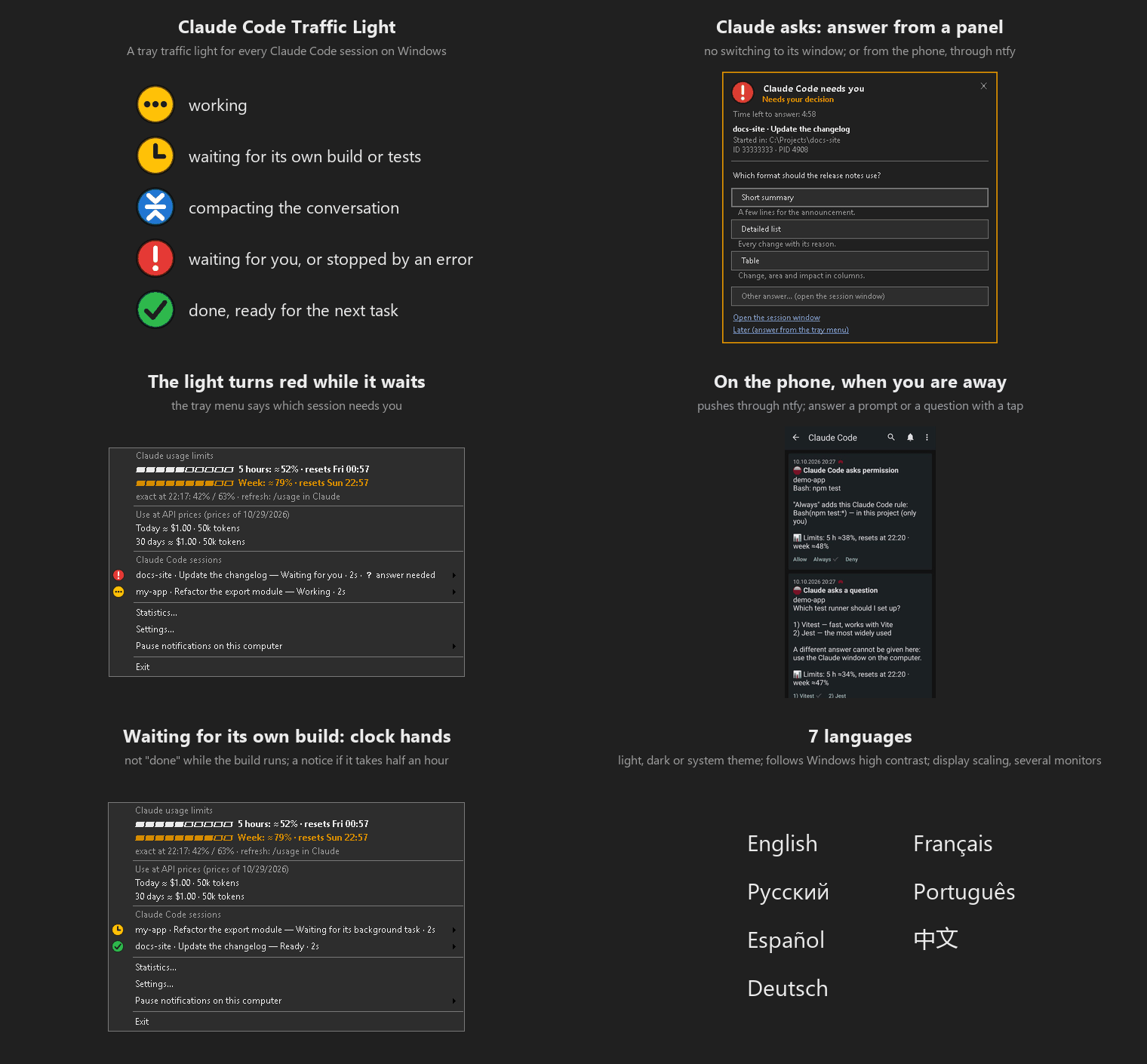
What the colours mean
 working
 waiting for its own build or tests
 compacting the conversation
 waiting for you
 done, ready for the next task
With several sessions open, the tray icon shows the most urgent state; the tray menu lists every session, named after its chat.
Features
All sessions, one icon
Console and VS Code sessions alike. Bring a session's window to the front from the menu, mute one session, or pause everything for an hour.
Answer without switching
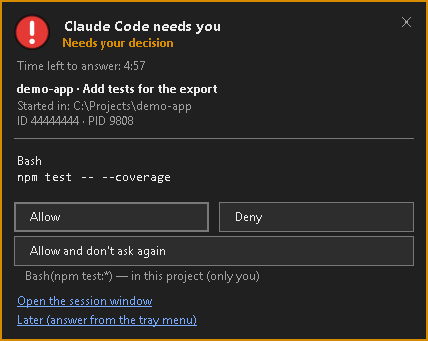
A panel near the tray shows the permission prompt or the question with its answer options. Click, or press Win+Alt+C and answer from the keyboard.
Phone, only when away
Pushes through ntfy (ntfy.sh or your own server) only when you did not react on the computer or the screen is locked. Answering prompts from the phone is optional.
No false "done"
When Claude only stops to wait for its own background task, such as a build or tests, the lamp shows clock hands for as long as the task runs, and nothing is reported as finished. A wait of half an hour gets one notice, in case the task is stuck.
Errors, not "done"
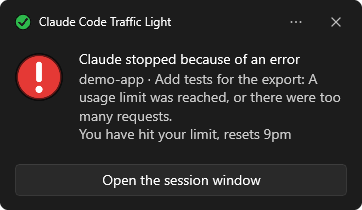
A turn cut short by an API error, such as a usage limit, overloaded servers or a lost sign-in, shows red, with what happened in Claude's own words, here and on the phone.
Context before it is compacted
Each session shows how full its context is, and warns at 90% of the point where Claude compacts on its own, so you can finish the step or compact yourself.
Usage limits at a glance
The 5-hour and weekly limits with their reset times, at the top of the menu, in the icon tooltip and in every push. Exact after /usage, estimated in between from your own sessions, or exact all along with /usage run in the background. Next to them the tokens and what they would cost at API prices, and a statistics window with what made the use dearer. The app itself asks nothing of Anthropic.
Out of Claude's way
Driven by Claude Code hooks that exit within milliseconds. If the app is not running, the hooks simply do nothing.
Fits your Windows
7 languages, light, dark or system theme, follows Windows high contrast, display scaling and several monitors.
On your computer
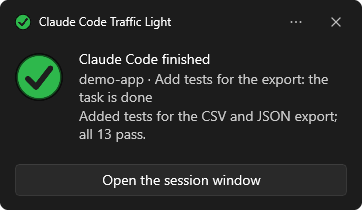
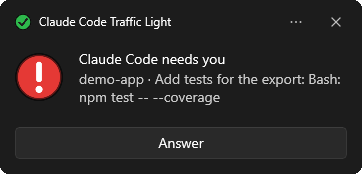
A request shows up in a panel near the tray, and the state changes come as ordinary Windows notifications. A click on a notification only closes it; the button on it goes back to the session window or does what the notice is about. Each kind can be switched off.
On your phone
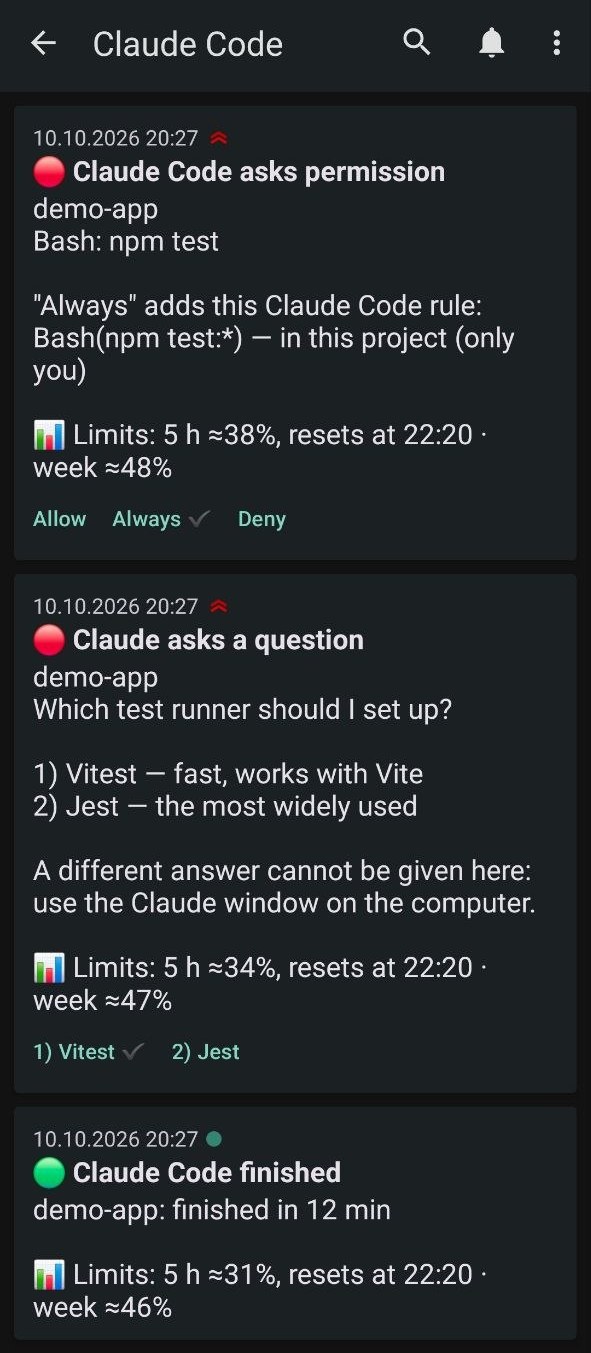
Pushes arrive in the free ntfy app (Android and iPhone), from ntfy.sh or your own server.
- Permission prompts come with Allow and Deny, and with Always when Claude Code offers a rule so it does not ask again; the push says what that rule allows.
- Questions with answer options get a button for each of the first three answers.
- Finished tasks are reported only when they ran long enough for you to look away.
- Usage limits close every push, so you see what is left without opening Claude.
- On a smartwatch or fitness band too: allow ntfy in the watch's notification settings on the phone. A watch that shows notification buttons lets you answer from your wrist.
- Answer on the computer first, and the phone is told the buttons no longer work.
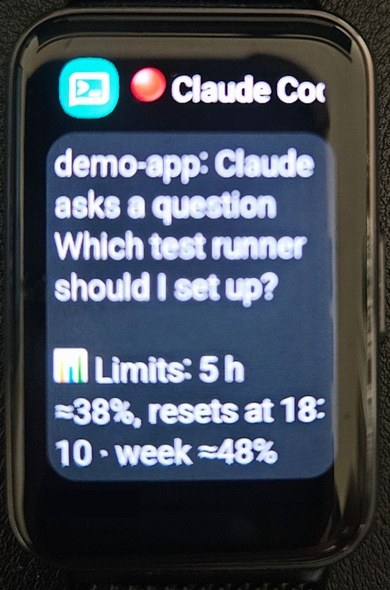
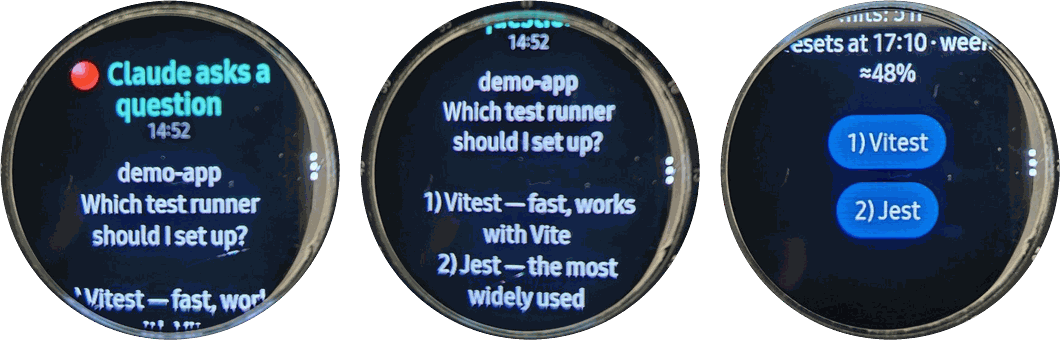
Answering from the phone is off until you turn it on. The topic name is random and secret, and buttons work once, only for the request still waiting.
Usage limits
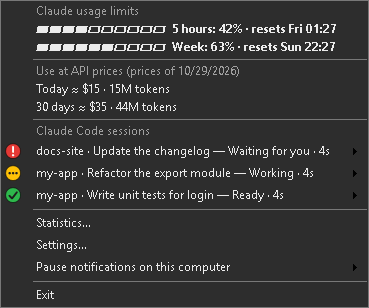
How much of Claude's 5-hour and weekly limits you have used, and when each resets, without typing /usage every time.
- Exact right after
/usage: Claude Code keeps those figures on your computer, and the app reads them. - Estimated in between (marked ≈), because Claude Code gives the current figures only on
/usage: the app adds what your sessions used since, each model weighed by your own past figures. So far that stayed within one or two percentage points; every/usageputs it right again. - Exact all along, if you switch it on: whenever the estimate may be more than 1% off while you work, the app runs Claude Code's own
/usagein the background: more often near the end of a limit, and more often by itself when the estimate starts to miss (a model or an effort it has not learnt yet), never more often than every 5 minutes. It asks no model, so it uses no limit. - The same figures on the second line of the icon tooltip and at the end of every push; optionally a notice, here and on the phone, every N percent, when a limit runs out, when it is back and when a used window ends.
- Under them, the tokens used today and in 30 days and what they would cost at API prices, every kind of token at its own price: on a subscription, to see what the same work would cost by the token; with an API key, close to the bill. The prices are built in, with their date shown, and can be updated from the open price file of LiteLLM, a community project on GitHub: on request, or once a day if you switch it on.
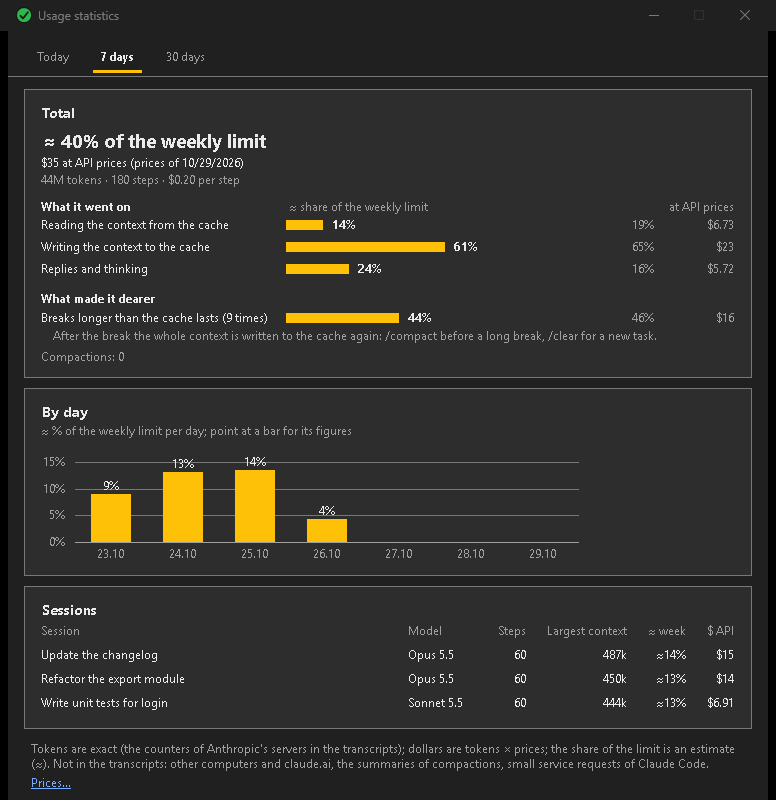
- Statistics in a window of its own: what the use came to, what it went on (reading the cache, writing it, the replies), what made it dearer (a large context, breaks longer than the cache lasts, with what helps), by session and by day.
The app itself never contacts Anthropic and never touches your Claude sign-in: in the background it only starts Claude Code's own command. Use on other devices shows up at the next /usage. A sign-in without a subscription (an API key) has no such limits, and the app shows none.
Get started
1. Download ClaudeCodeTrafficLight.exe from the releases page and run it.
2. Answer Yes to "Connect to Claude Code": the app adds its hooks to ~/.claude/settings.json and keeps a backup of the original.
3. Start Claude Code as usual.
Requires Windows 10 or 11 (the .NET Framework it needs is part of Windows). The file is not code-signed, so Windows SmartScreen may warn on the first start: More info → Run anyway. Each release is built by GitHub Actions from the tagged source, reproducibly, and lists its SHA-256 checksum in SHA256SUMS.txt.
Privacy
The program collects nothing and sends nothing about you: no telemetry, and no update checks unless you switch them on (once a day, one anonymous request to GitHub for the latest release). Nor does it load the prices of the models unless you ask (one anonymous request to GitHub for LiteLLM's price file, on a button or once a day if switched on). Otherwise it uses the network only if you set up phone notifications, and then only to the ntfy server you chose. For the usage limits it reads the session transcripts and the figures Claude Code keeps on your computer; it never contacts Anthropic itself and never touches your Claude sign-in (if you switch on refining the limits, it starts Claude Code's own /usage, and Claude Code asks Anthropic, as when you type it). This page has no counters or trackers either.